
Saving a Callsign Certificate to a File
To save a Callsign Certificate and its associated private key to a file,
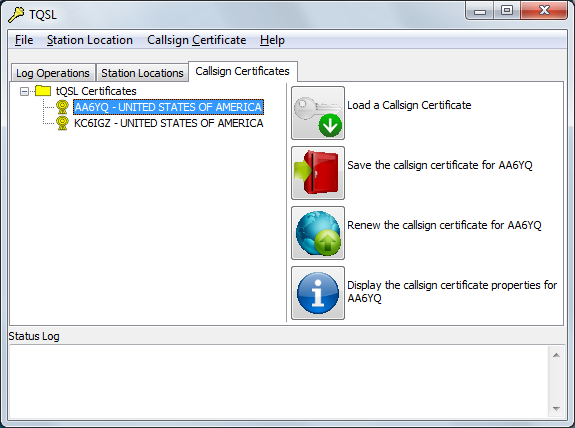
| 1. | Start TQSL and select the Callsign Certificates tab, which lists your Callsign Certificates. |
 |
|
| 2. | Click on the Callsign Certificate you wish to save to a file, and then click the Save the Callsign Certificate button. An Enter the name for the new Certificate Container file window will appear; it enables you to specify the name and location of the file into which the Callsign Certificate should be saved. After specifying the name and location, click the Save button. |
| 3. | A Certificate Container Password window will appear; if the Certificate Container file will be stored on a shared or public computer, protect it by specifying a password, and clicking the OK button. |