Determining What Version of TQSL is Running
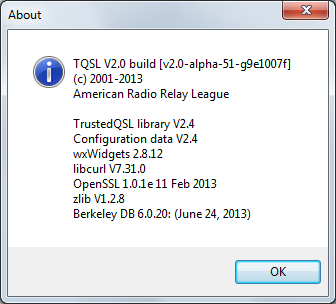
Select the Help menu's About command (on OS X, select the Application menu's About command); TQSL will display an About dialog whose first line specifies the TQSL version:
 |

301 Moved Permanently |
Select the Help menu's About command (on OS X, select the Application menu's About command); TQSL will display an About dialog whose first line specifies the TQSL version:
|